Skip to content
The CreatePay Logo in Black
  • Card Machines
    • CreatePay One
    • Construction and Trade
    • Hair & Beauty
    • Hotels
    • Motor
    • Pubs and Restaurants
    • Retail
  • Products
    • The CreatePay App
    • Create Commerce
    • Create Funding
    • Create Rewards
  • Help
  • Blog
  • Careers
  • Card Machines
    • CreatePay One
    • Construction and Trade
    • Hair & Beauty
    • Hotels
    • Motor
    • Pubs and Restaurants
    • Retail
  • Products
    • The CreatePay App
    • Create Commerce
    • Create Funding
    • Create Rewards
  • Help
  • Blog
  • Careers
Free Quote
Contact Us
The CreatePay Logo in Black
  • Card Machines
    • CreatePay One
    • Construction and Trade
    • Hair & Beauty
    • Hotels
    • Motor
    • Pubs and Restaurants
    • Retail
  • Products
    • The CreatePay App
    • Create Commerce
    • Create Funding
    • Create Rewards
  • Help
  • Blog
  • Careers
  • Card Machines
    • CreatePay One
    • Construction and Trade
    • Hair & Beauty
    • Hotels
    • Motor
    • Pubs and Restaurants
    • Retail
  • Products
    • The CreatePay App
    • Create Commerce
    • Create Funding
    • Create Rewards
  • Help
  • Blog
  • Careers

Card Machines

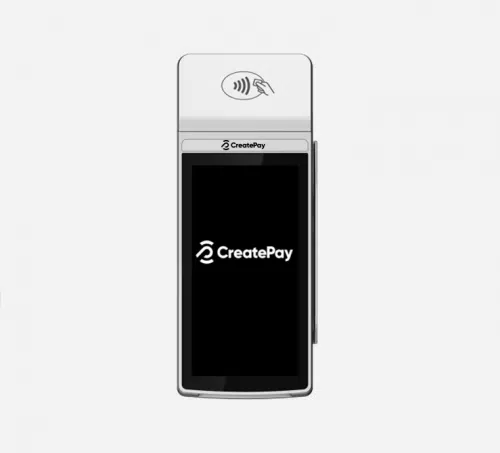
CreatePay One Device
CreatePay One Quick Start Guide

Click here for guide.

How To Connect To WIFI

Click here for guide.

How To Turn Off Receipts

Click here for guide.

How To Re-Print A Receipt

Click here for guide.

How To Change Your Merchant Password

Click here for guide.

How To Complete A Pre-Authorisation

Click here for guide.

How To Complete Your End Of Day (Batch)

Click here for guide.

How To Turn On Tips

Click here for guide.

How To Process A Pre-Authoirsation

Click here for guide.

How To Process A Customer Not Present Transaction

Click here for guide.

How To Process A Customer Present Refund

Click here for guide.

How To Process A Customer Not Present Refund

Click here foe guide.https://folge.me/g/shared/brMlYmpMyxO5Z4v/how-to-process-a-customer-not-present-refund

How To Split A Bill

Click here for guide.

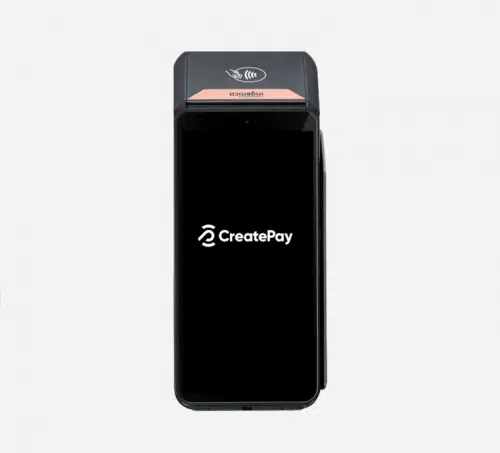
Ingenico DX8000
Ingenico DX8000 Quick Start Guide

Click here for guide.

Cant find what you need?

  • 03337 720 090
  • hello@createpay.com
The CreatePay Logo in Black

Card Machine

Create Commerce

Create Rewards

Create Funding

CreatePay App

Contact Us

Privacy Policy

Careers

  • Facebook
  • LinkedIn
  • Instagram

CreatePay Limited is registered in England and Wales under number No 14099583 and our registered office is 57a Broadway, Leigh on Sea, Essex, SS9 1PE.  Create Pay Limited is authorised and regulated by the Financial Conduct Authority for Limited Permission Credit Broking. Our firm reference number is 982027. We are a credit broker and not a lender. Copyright 2024 CreatePay 

  • Home
  • CreatePay One
  • CreatePay App
  • Card Machine
  • Create Rewards
  • Create Commerce
  • Create Funding
  • Careers
  • Help
  • Contact